Local-first desktop workspace

Daily business reconciliation, without the cloud.

BalanceDesk helps small businesses record daily operations, manage customer credit, reconcile the day and keep business data on their own computer.

Windows x64 Linux x64 Works offline
BalanceDesk reconciliation review screen
Built around the business day

A clear path from opening to close.

BalanceDesk follows the daily workflow instead of forcing the business into a generic accounting screen.

01Open dayStart with the real opening cash, coins and MoMo position.
02Record workCapture MoMo sales, credit sales, payments and expenses.
03Submit countsEnter the actual physical closing cash and MoMo balance.
04ReconcileCompare recorded activity with the authoritative Total Sales figure.
05Close & lockFreeze the reviewed day into an auditable close snapshot.
What BalanceDesk handles

Focused on the work that needs to balance.

The current release stays deliberately narrow: daily operations, customer credit, reconciliation and recovery.

₵

Daily operations

Record MoMo sales, credit sales, credit payments and cash or MoMo expenses as they happen.

◎

Customer credit

Track customer balances, invoices, payment allocations, overdue positions and account history.

≋

Reconciliation

Review calculated Cash Sales, Accounted Sales, Sales Difference and the closing MoMo position.

↻

Recovery & audit

Use verified backup, restore, import, diagnostics, safe shutdown and controlled correction workflows.

LOCAL-FIRST

Built around the computer where the work happens.

WORKS OFFLINE

No cloud account or internet connection required for normal use.

PRIVATE DATA

Business records remain on the user’s own computer.

Product experience

Designed for someone who has work to finish.

From the live Business Day and customer credit position to reconciliation, setup and recovery, the product keeps the operational path visible.

Core workflow

Reconcile the day with the important figures in one place.

Review authoritative Total Sales, Accounted Sales, MoMo variance, shortage or overage, then confirm the reconciliation deliberately.

Reconciliation Review Daily close
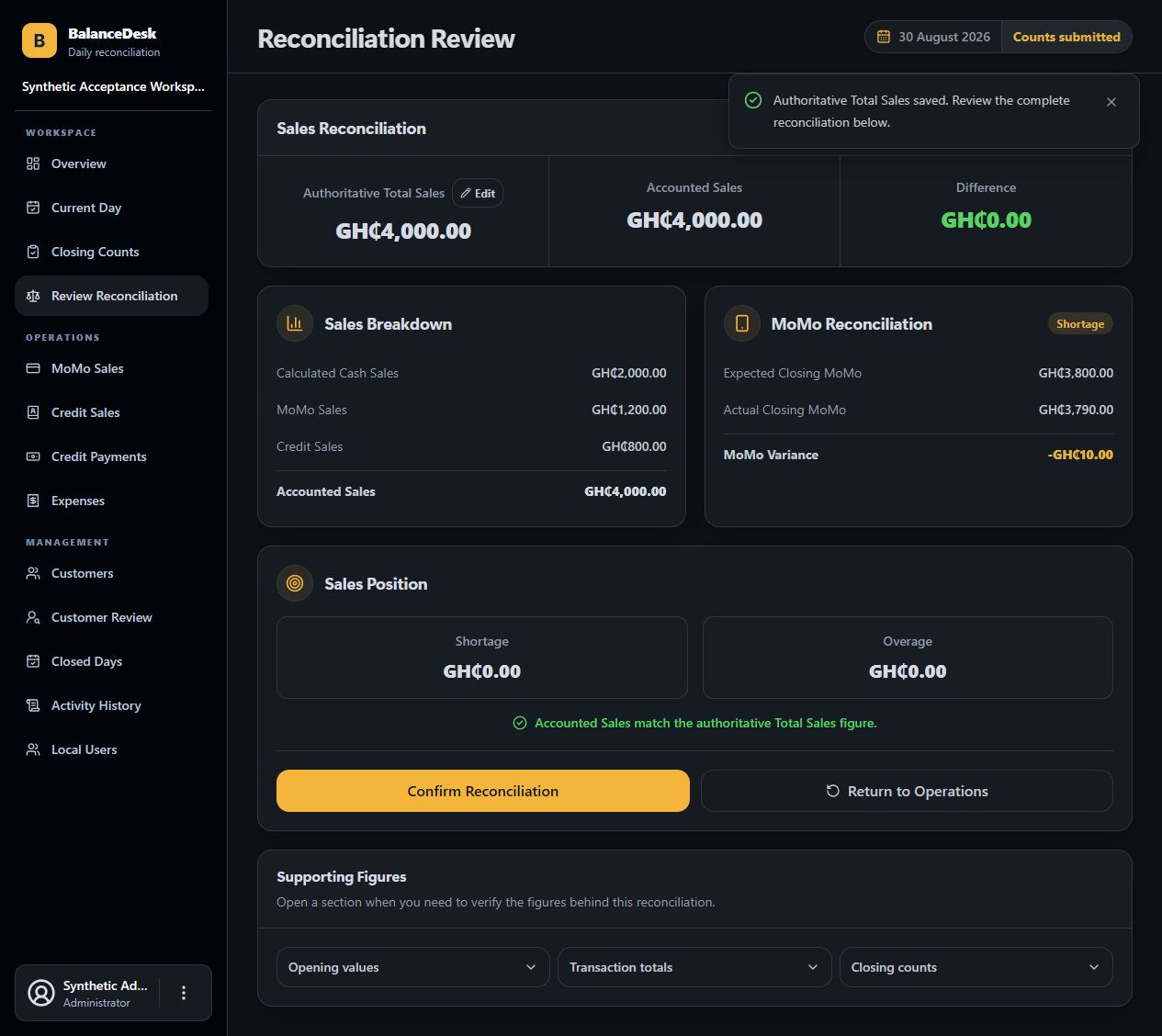
BalanceDesk v1.2.0 reconciliation review
Daily operations

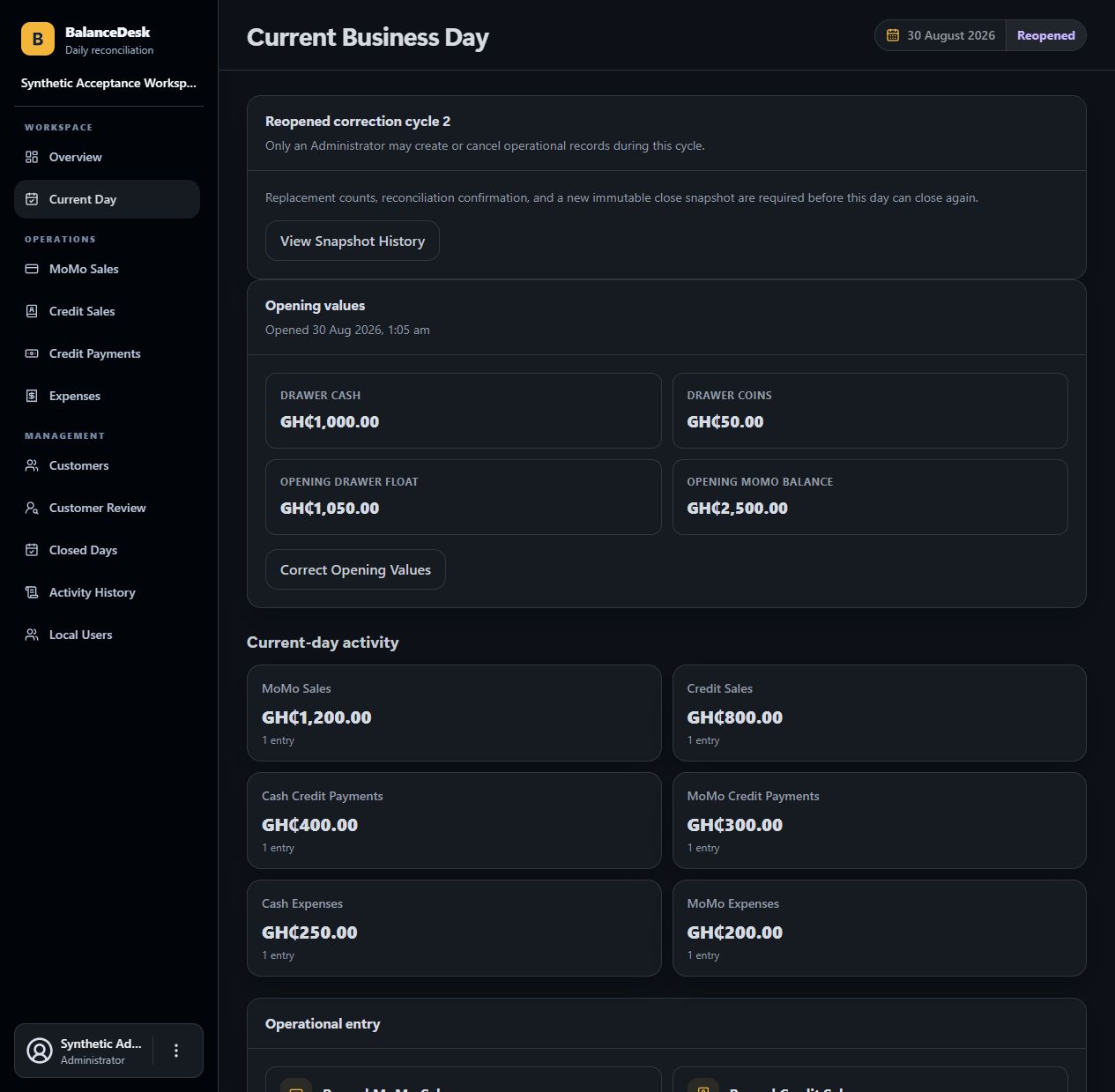
See the live Business Day before the numbers become a close.

Opening values, current activity and controlled correction state stay together so the operator can review the day before counts and reconciliation.

Current Business Day Operations
BalanceDesk v1.2.0 current Business Day
Customer credit

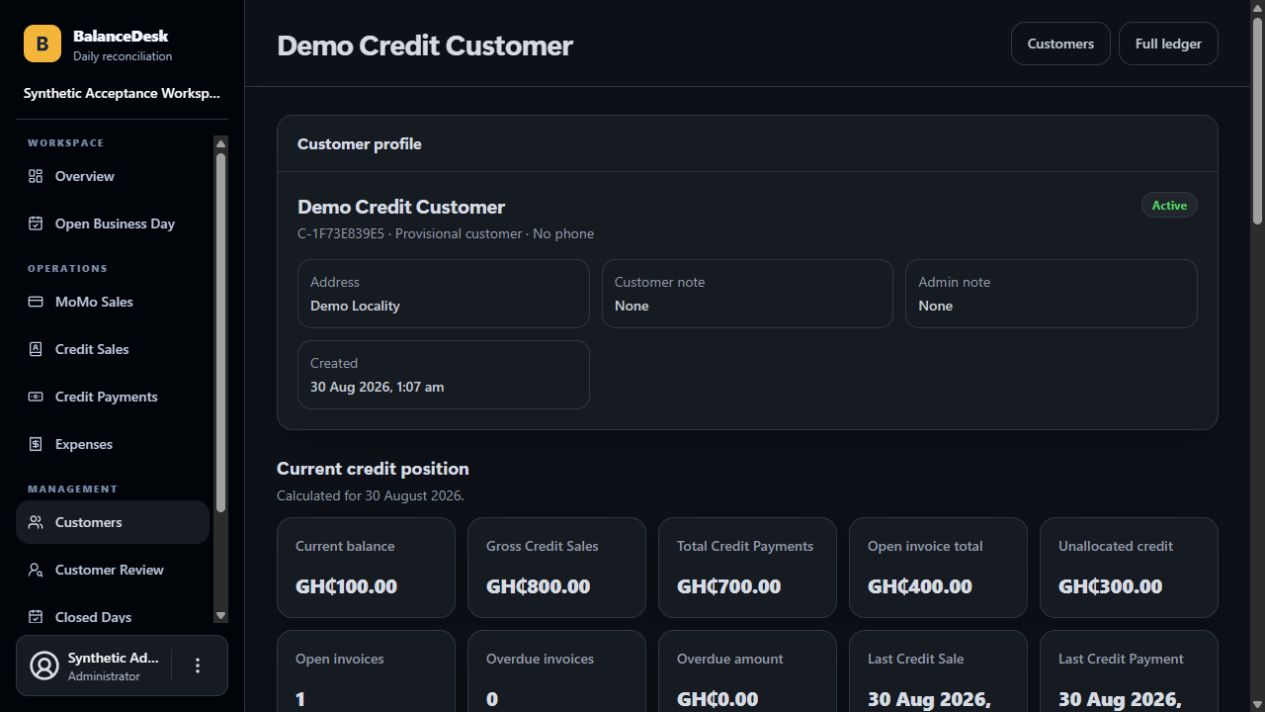
Read the customer position without reconstructing it manually.

Profile details, current balance, credit sales, payments, open invoices and unallocated credit remain visible from one account view.

Customer Account Credit control
BalanceDesk v1.2.0 customer account
First-time setup

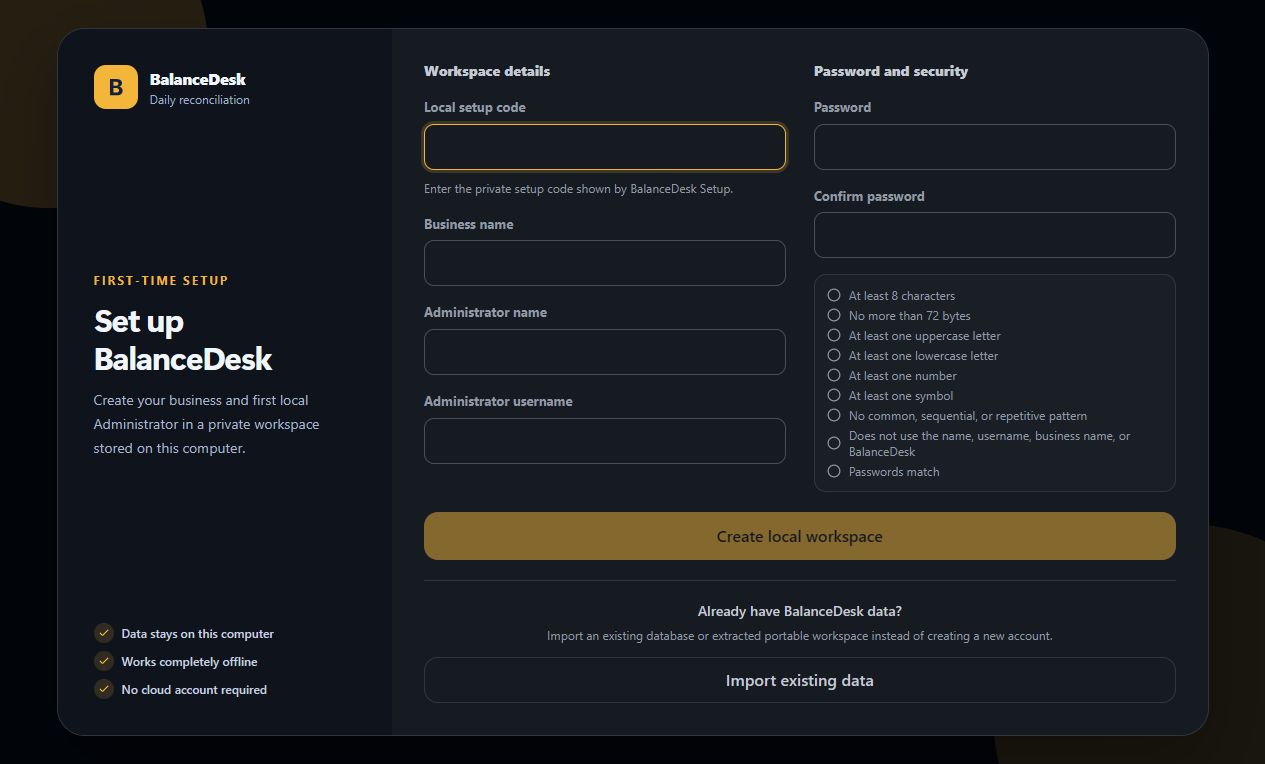
Start clean, or bring an existing workspace forward.

Create the first local Administrator in a private workspace, or import trusted BalanceDesk data instead of starting over.

Setup BalanceDesk Local-first
BalanceDesk v1.2.0 first-time setup screen
Data & recovery

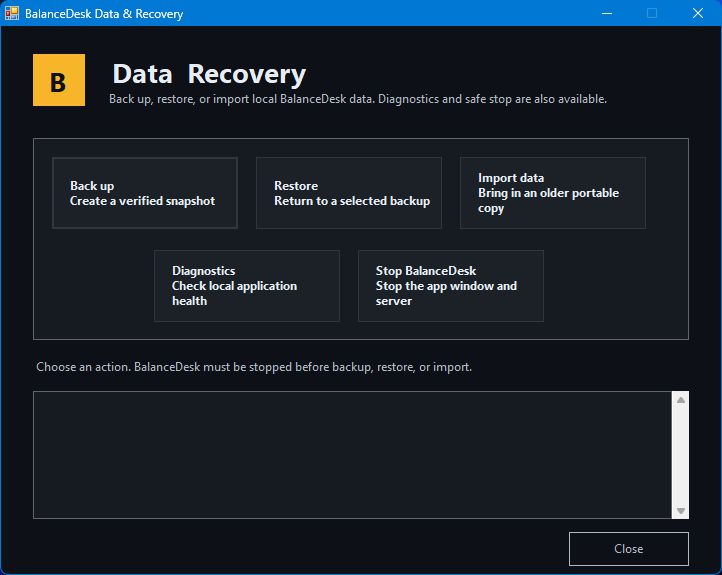
Maintenance is part of the product, not an emergency procedure.

Back up, restore, import, diagnose and stop BalanceDesk through a dedicated recovery utility built for normal business use.

Data & Recovery Maintenance
BalanceDesk v1.2.0 Data and Recovery utility
Current release

BalanceDesk v1.2.0

Choose the package that fits the computer. The Windows installer is the recommended option for most users.

Recommended

Windows installer

Normal per-user installation with Start menu entries, local data separation and uninstall support.

Download installer
Portable

Windows portable

Extract the complete package to a normal local folder and run BalanceDesk without a formal installation.

Download ZIP
Linux x64

Linux portable

Portable x86-64 Linux distribution for supported glibc/OpenSSL systems.

Download .tar.gz

BalanceDesk v1.2.0 Windows executables are not code-signed. Windows may show an unknown-publisher warning. Verify the SHA-256 checksum supplied with the release before running a transferred package.

Documentation

Built to be used without the developer standing beside you.

The client guide covers setup, daily work, customer credit, reconciliation, closing, backup, recovery, troubleshooting and Linux use.

BalanceDesk v1.2.0 Client Guide cover